> For the complete documentation index, see [llms.txt](https://quote-guide.storeify.app/llms.txt). Markdown versions of documentation pages are available by appending `.md` to page URLs; this page is available as [Markdown](https://quote-guide.storeify.app/integration/how-to-get-client-id-and-client-secret-in-google-cloud-console.md).
# How to get Client ID and Client Secret in Google Cloud Console
To get a **Client ID** and **Client Secret**, you must create **OAuth 2.0 credentials** within a project in the Google Cloud Console. The process involves setting up an OAuth consent screen and then generating the credentials for a specific application type.
### Step-by-Step Guide
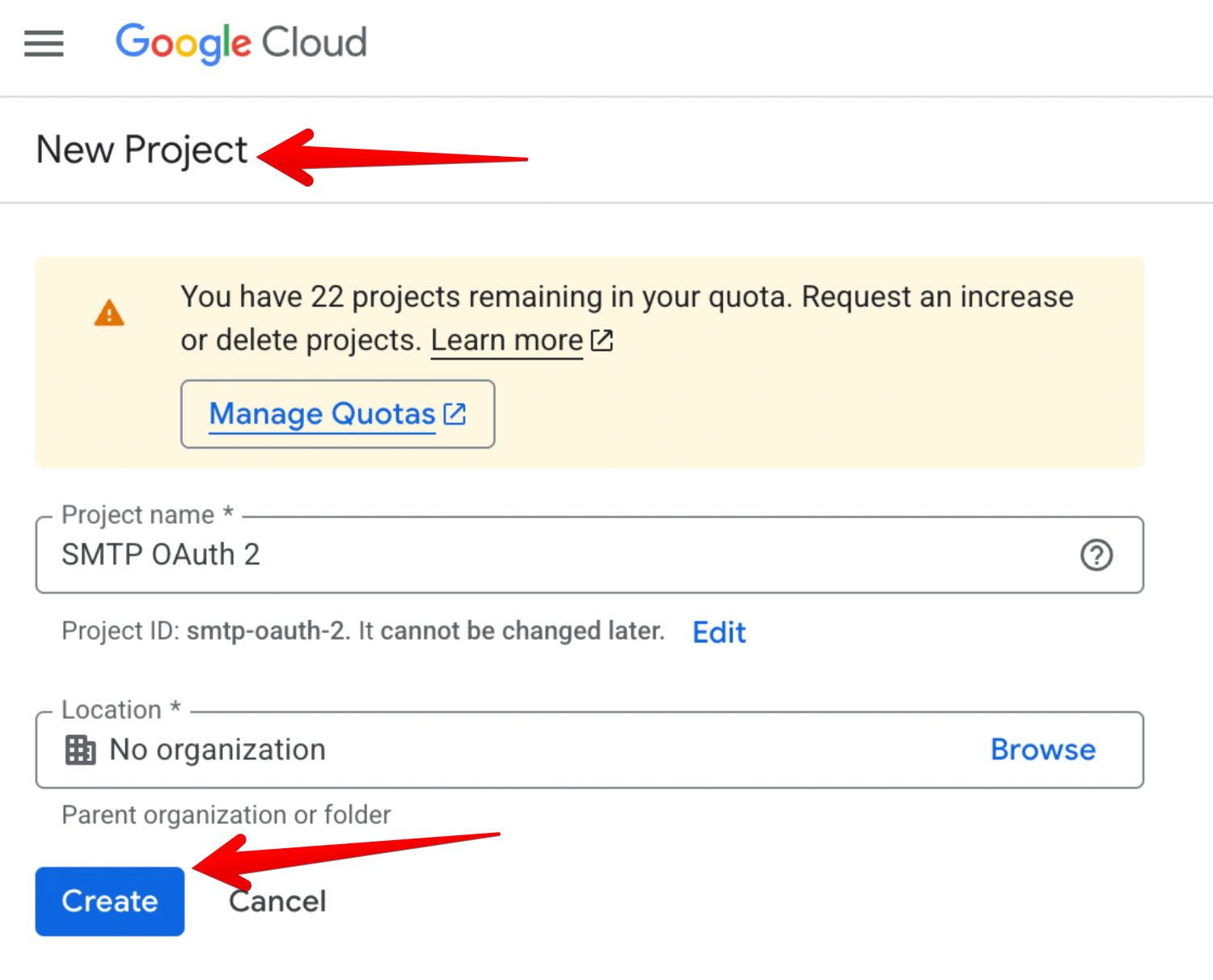
1. **Go to the Google Cloud Console**
* Navigate to the Google Cloud Console and sign in with your Google account.
* Select an existing project from the top menu, or create a new one if needed.
2. **Enable the Necessary API**
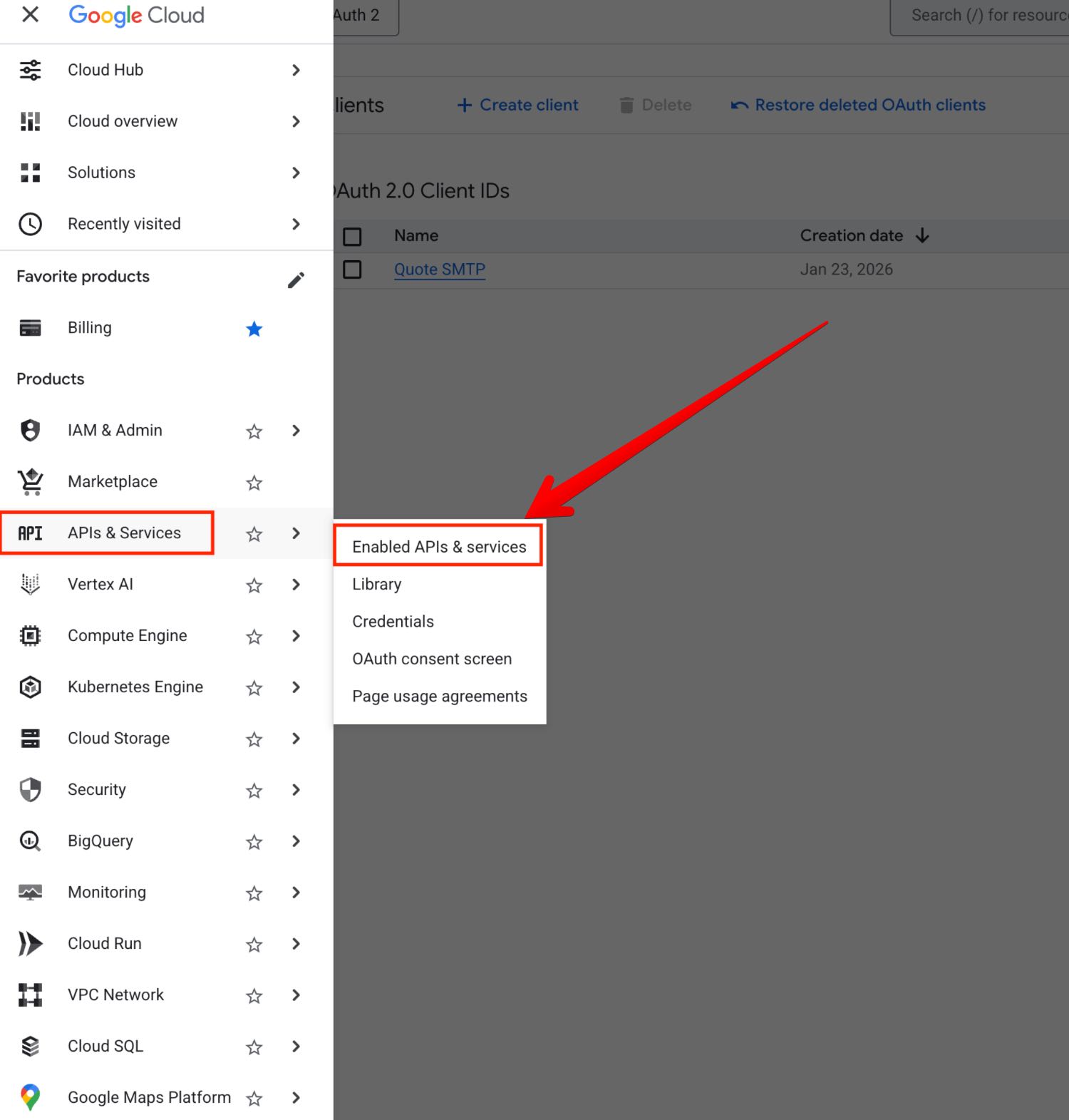
* In the left-hand navigation menu, go to **APIs & Services** > **Library**.
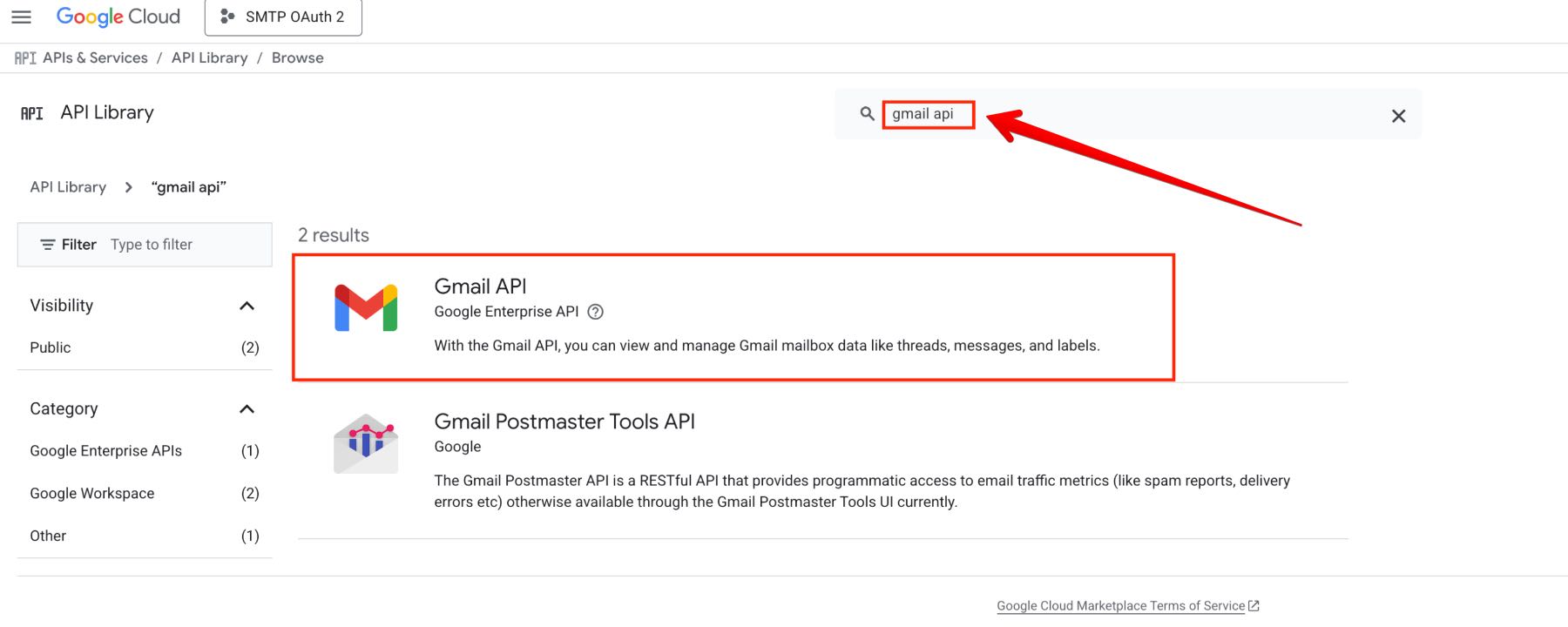
* Search for the API you need (e.g., "Google Sheets API," "Gmail API") and click on it.
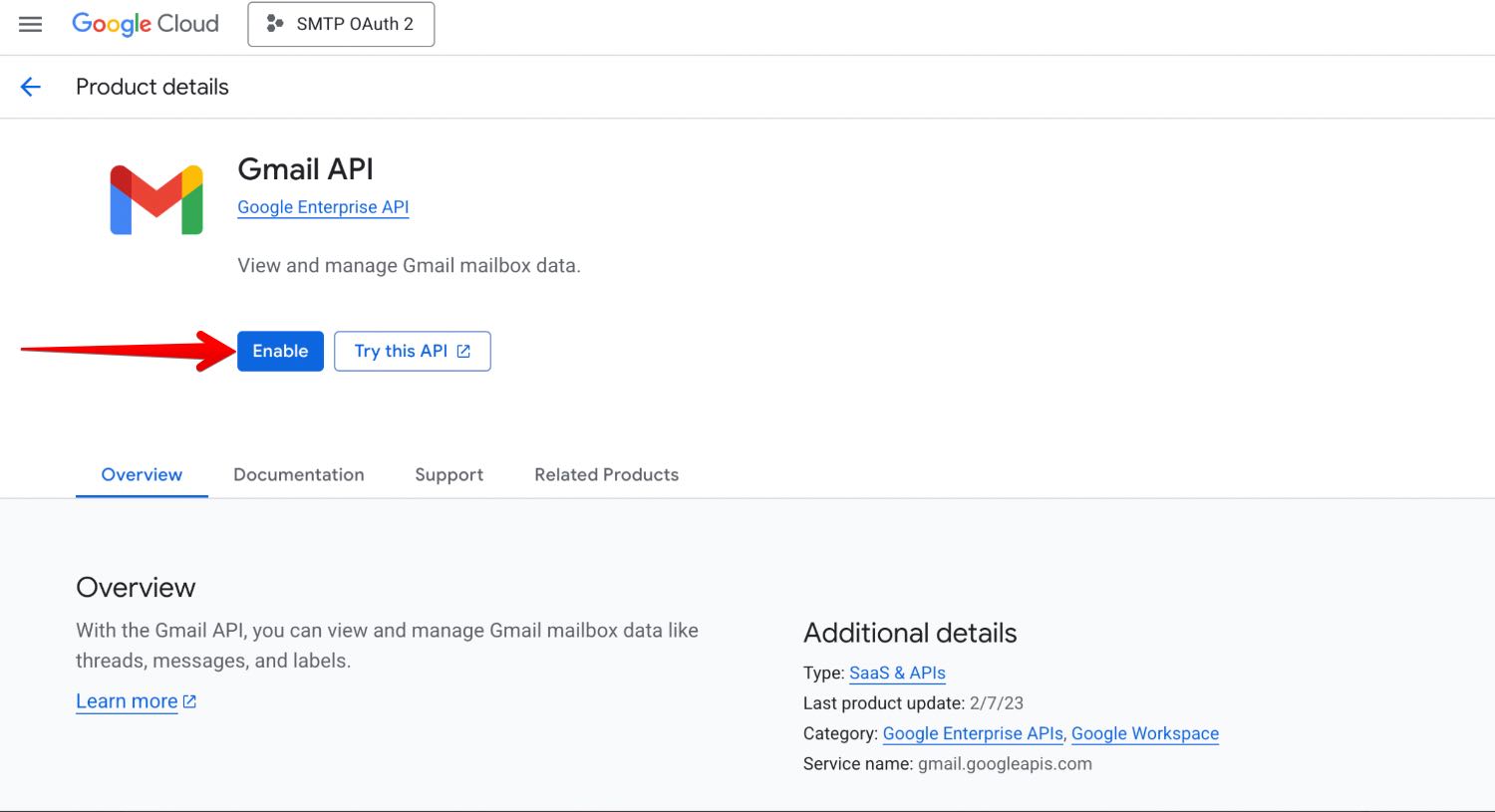
* Click the **Enable** button to activate the API for your project.
3. **Configure the OAuth Consent Screen**
* In the left menu, go to **APIs & Services** > **OAuth consent screen**.
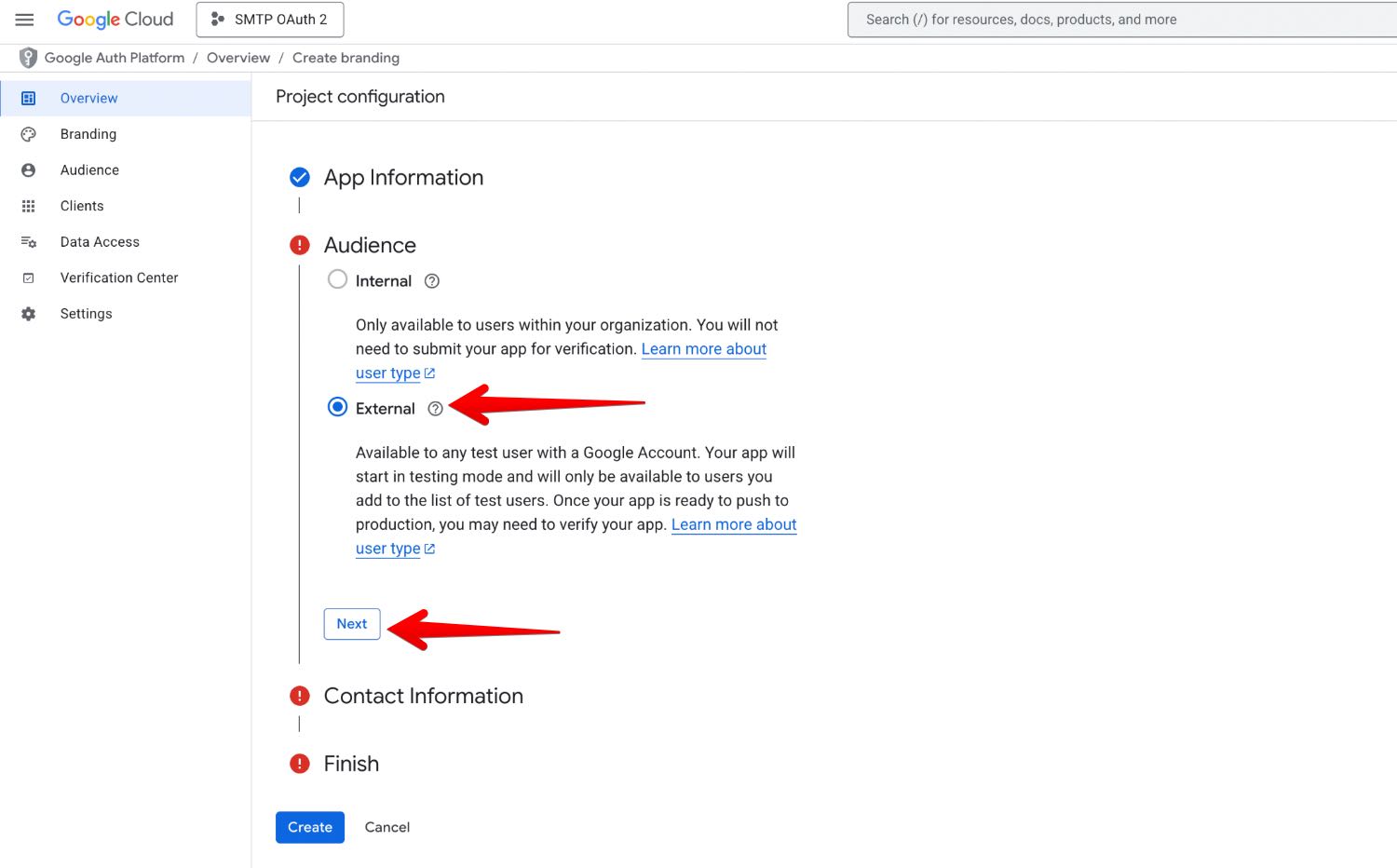
* Select the **User type** (usually **External** unless you are a Google Workspace organization user) and click **Create**.
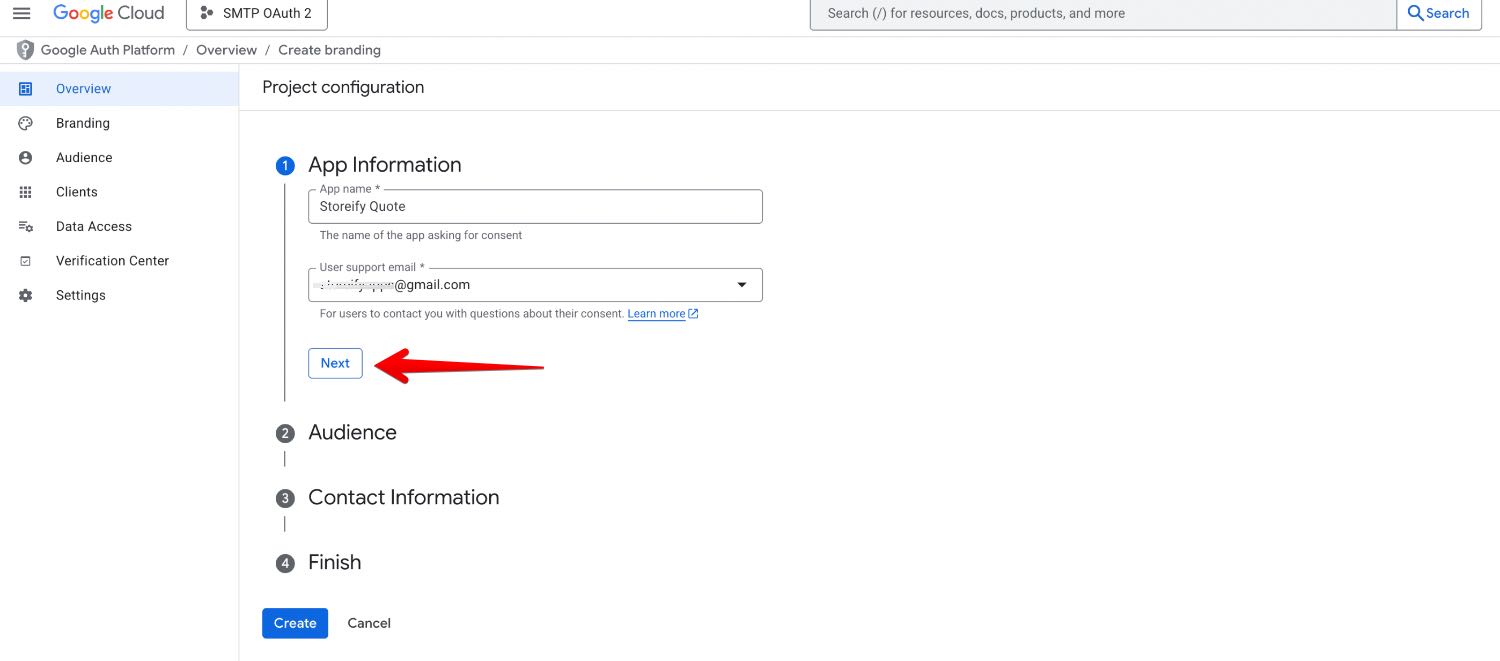
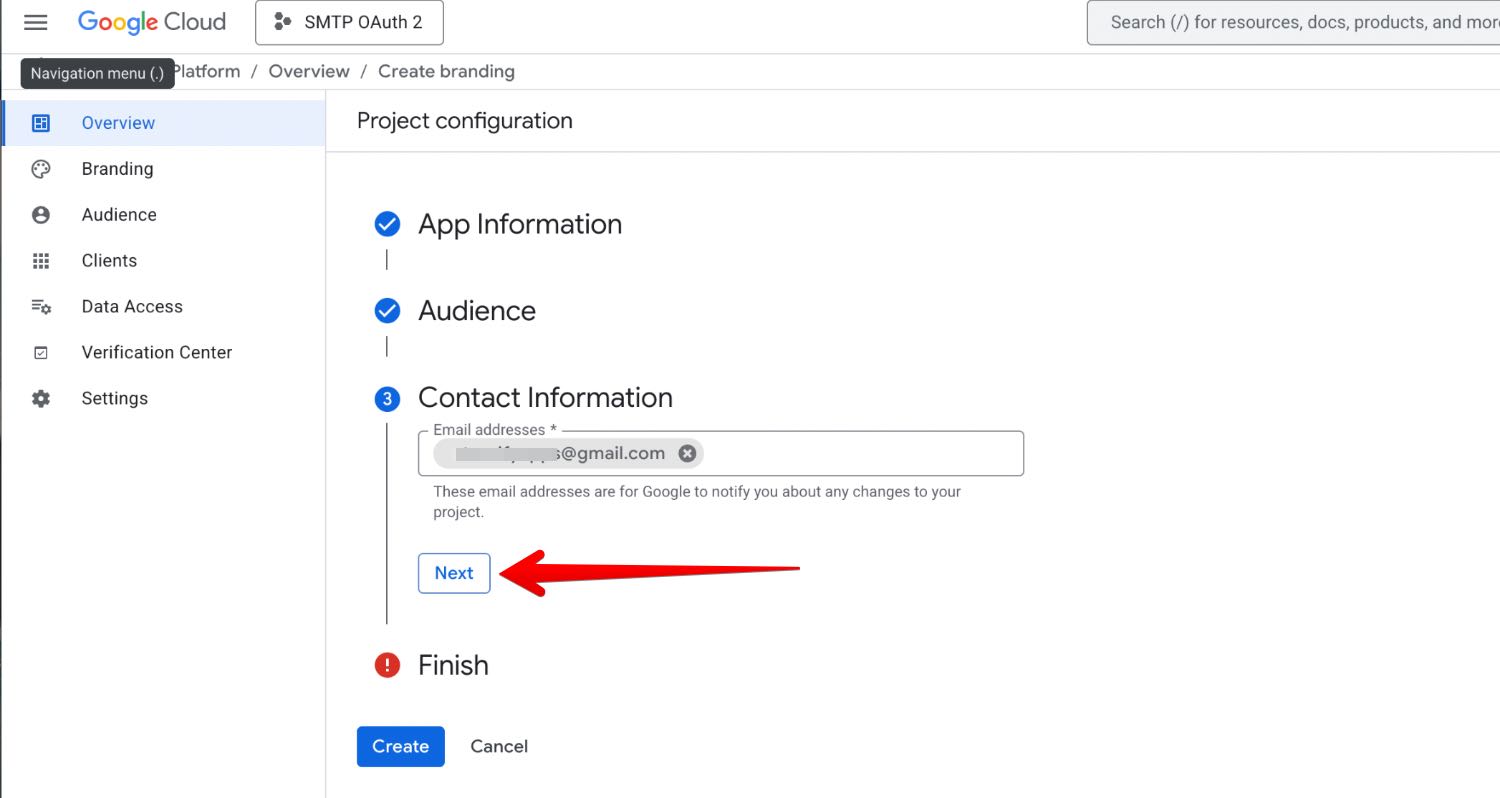
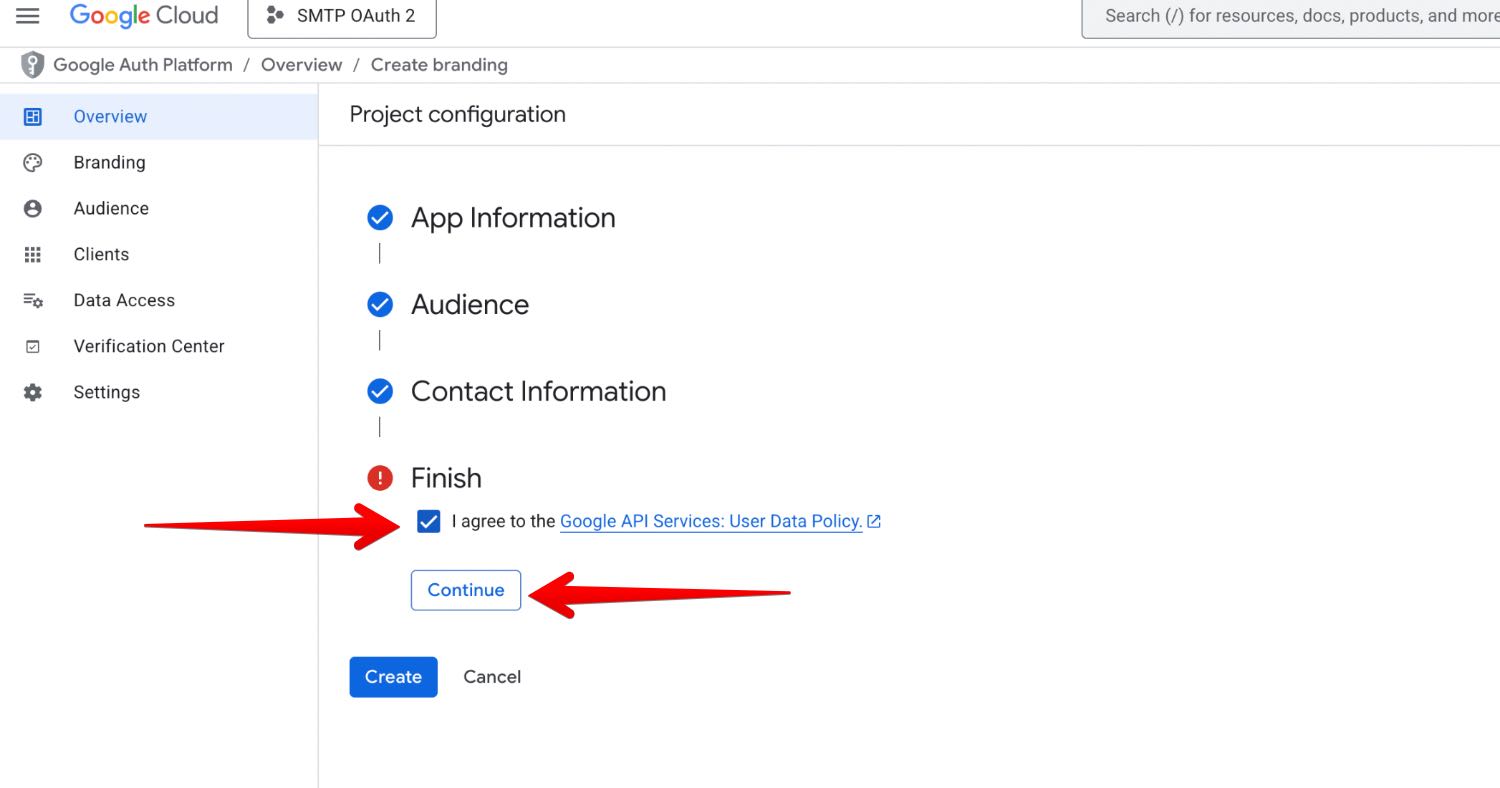
* Fill in the required "App information," including the **App name**, **User support email**, and **Developer contact information**.
* Click **Save and Continue** through the "Scopes" and "Summary" sections (you can define scopes later if needed).
4. **Create the OAuth Client ID and Secret**
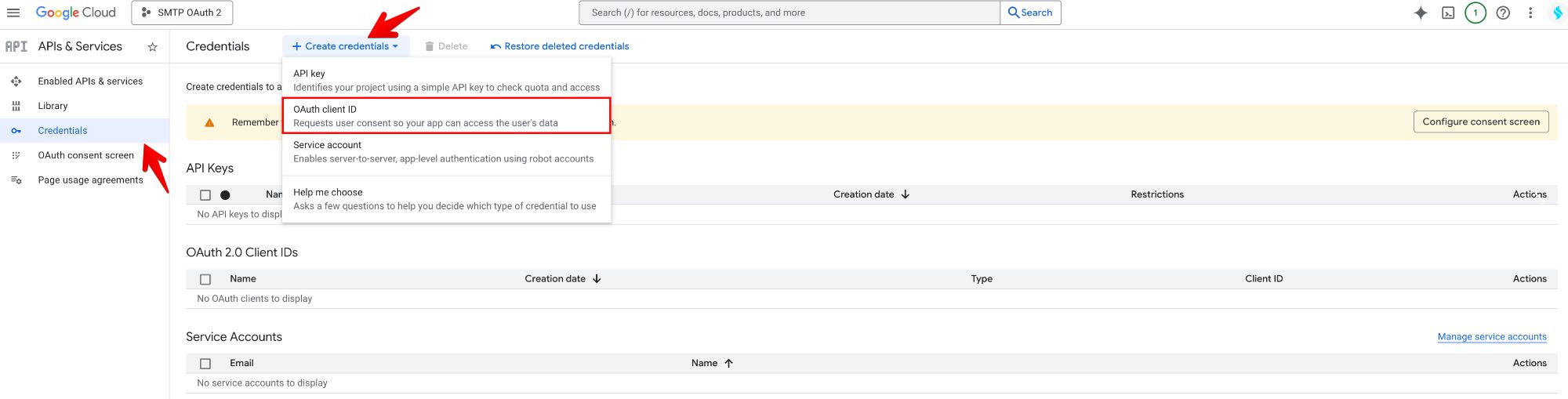
* In the left menu, go to **APIs & Services** > **Credentials**.
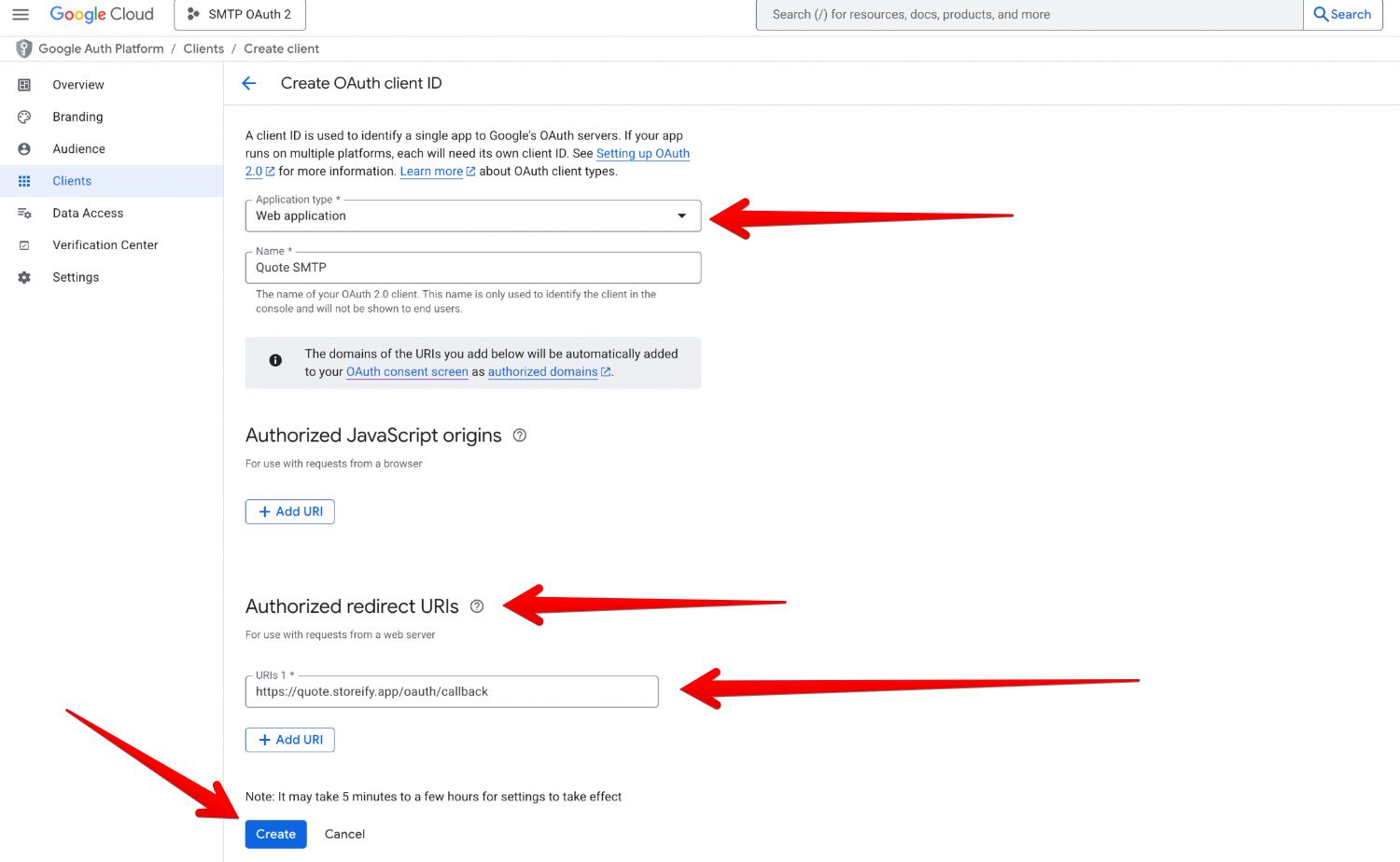
* Click the **+ CREATE CREDENTIALS** button at the top and select **OAuth client ID** from the dropdown menu.
* Select the appropriate **Application type** for your use case: **Web application**.
* Provide a **Name** for your client ID (this is only for your reference within the console).
* You need to add **Authorized redirect URIs:** [ **https://quote.storeify.app/oauth/callback**](https://quote-guide.storeify.app/integration/ https:/quote.storeify.app/oauth/callback)
* Click **Create**.
#### Retrieve the Client ID and Client Secret
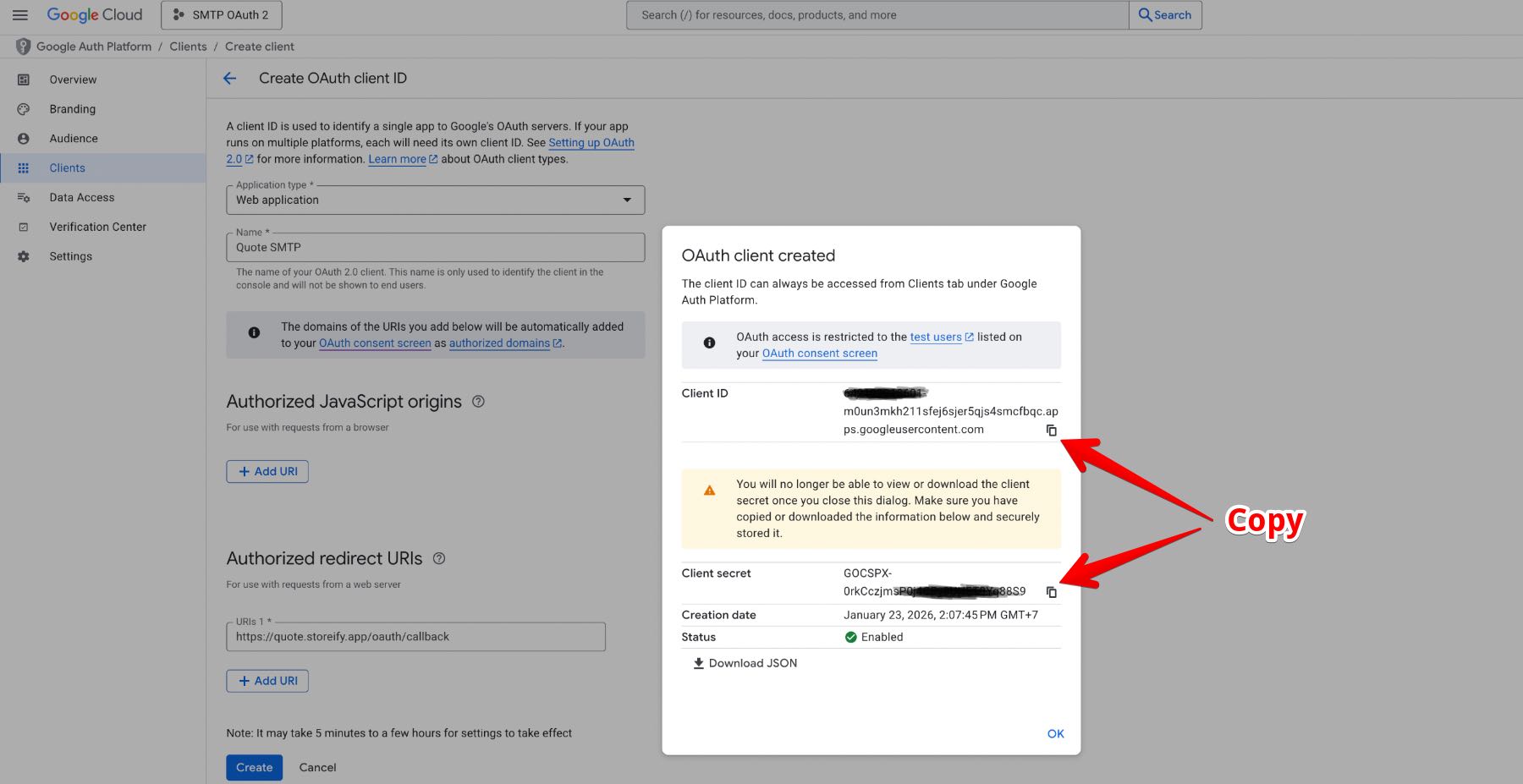
A pop-up window will display your generated **Client ID** and **Client Secret**. Copy these values and store the **Client Secret** securely, as it should be treated like a password.
You can revisit and view these credentials anytime from the Credentials page in the Google Cloud Console by clicking on the name of the client you created.
### See the detailed step-by-step screenshots from A to Z to get ***Google client ID and secret Key***: